
Blog
E-Commerce Application Development Past Paper 2019 – MSc IT 3rd Term UOS
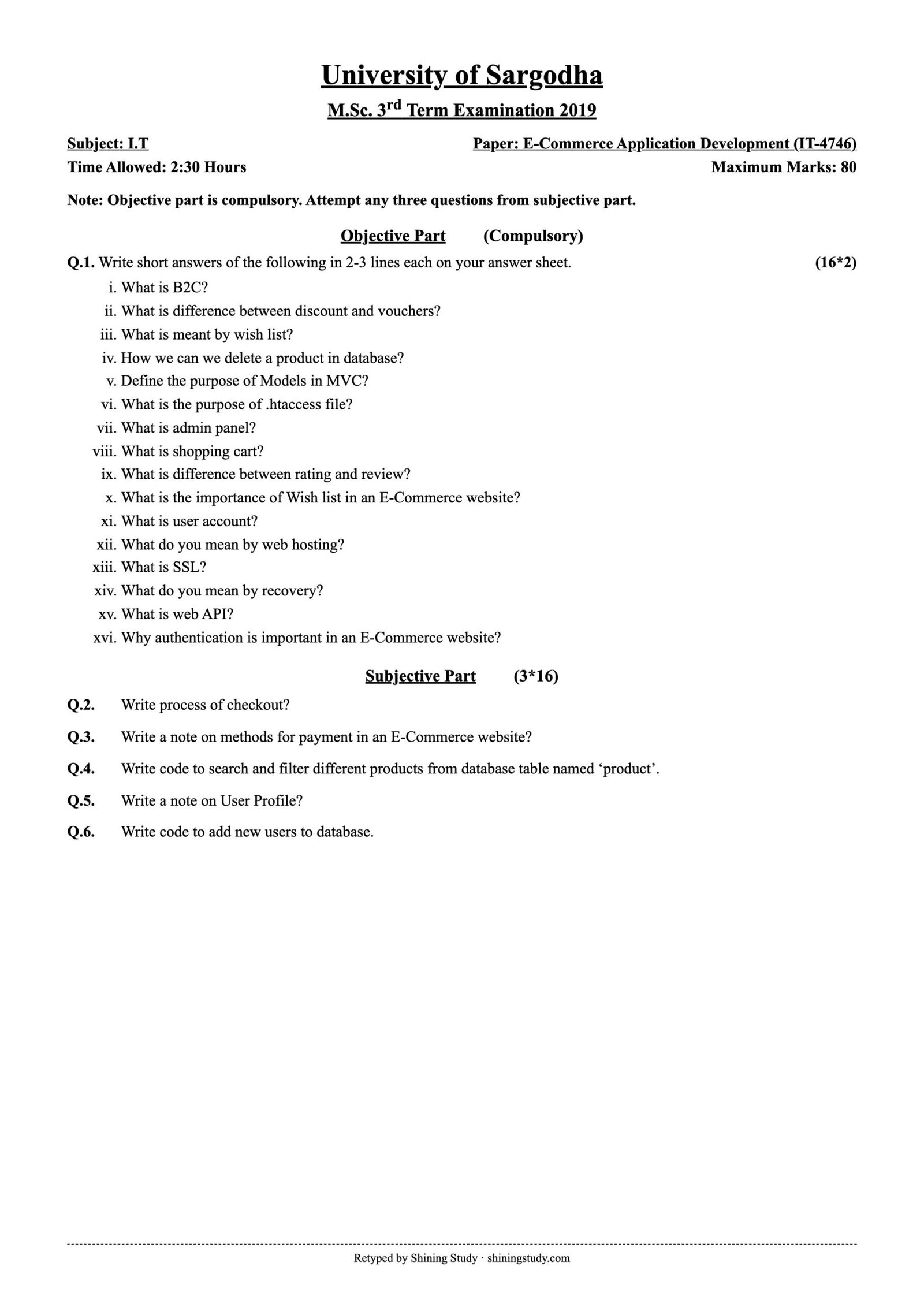
University of Sargodha (UOS) M.Sc. IT 3rd term E-Commerce Application Development (IT-4746) past paper 2019, with the full question paper in text form and solved answers, including PHP/MySQL code for product search and user registration.
Print / download (A4, high quality): Full-size paper
E-Commerce Application Development Past Paper 2019 (text version)
University of Sargodha – M.Sc. 3rd Term Examination 2019, Subject: I.T
Paper: E-Commerce Application Development (IT-4746) · Time: 2:30 Hours · Maximum marks: 80
Note: Objective part is compulsory. Attempt any three questions from subjective part.
Objective part – Q1: Write short answers of the following in 2-3 lines each on your answer sheet. (16*2)
- What is B2C?
- What is difference between discount and vouchers?
- What is meant by wish list?
- How we can we delete a product in database?
- Define the purpose of Models in MVC?
- What is the purpose of .htaccess file?
- What is admin panel?
- What is shopping cart?
- What is difference between rating and review?
- What is the importance of Wish list in an E-Commerce website?
- What is user account?
- What do you mean by web hosting?
- What is SSL?
- What do you mean by recovery?
- What is web API?
- Why authentication is important in an E-Commerce website?
Subjective part (3*16)
Q2. Write process of checkout?
Q3. Write a note on methods for payment in an E-Commerce website?
Q4. Write code to search and filter different products from database table named ‘product’.
Q5. Write a note on User Profile?
Q6. Write code to add new users to database.
Original paper (scanned copy)
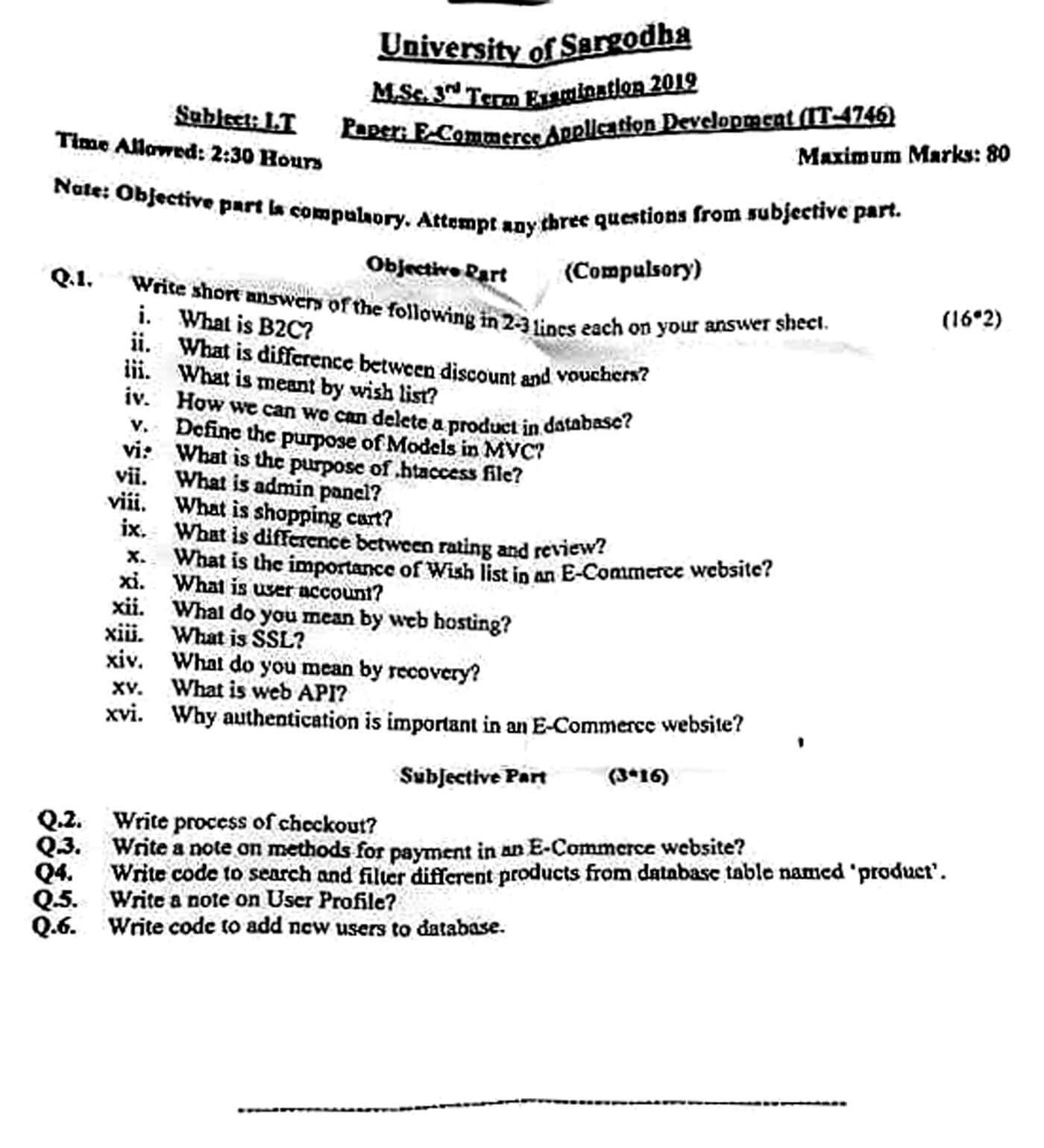
The clean paper above is retyped by Shining Study from this original University of Sargodha question paper. Click the scan to view it full size.
Solved answers
Q1 – Short questions
(i) B2C: Business-to-Consumer e-commerce – a business sells products or services directly to individual customers online, e.g. Daraz, Amazon, Khaadi’s online store.
(ii) Discount vs voucher: a discount is a price reduction applied automatically by the store (e.g. 20% off a category during a sale). A voucher (coupon) is a code or token the customer must enter or hold to get a reduction – often single-use, with an expiry date, minimum order or specific user.
(iii) Wish list: a saved list of products a logged-in customer wants to buy later. Items stay in the account (unlike a cart) and can be moved to the cart or shared.
(iv) Deleting a product: run an SQL DELETE with the product’s key, e.g. DELETE FROM product WHERE id = ? (using a prepared statement), usually from the admin panel. Many stores use a “soft delete” instead (UPDATE product SET status='deleted') so old orders still refer to it.
(v) Model in MVC: the Model represents the data and business logic – it talks to the database (fetch, insert, update, delete products, orders, users), applies rules and validation, and gives data to the controller; it knows nothing about the HTML view.
(vi) .htaccess: a per-directory configuration file for the Apache web server. Used for URL rewriting (clean URLs, e.g. /product/12 → index.php?id=12), redirects (HTTP → HTTPS, 301), password protection, custom error pages, blocking IPs, caching and compression rules.
(vii) Admin panel: the secure back-end of the store where administrators manage products, categories, prices, stock, orders, customers, discounts, content and reports, without touching code.
(viii) Shopping cart: software that lets a customer collect selected products with quantities while browsing, shows the subtotal, taxes and shipping, and passes the order to checkout. It is stored in the session, cookie or database.
(ix) Rating vs review: a rating is a quick numeric score (e.g. 1–5 stars) that can be averaged. A review is a written opinion explaining the experience with the product; it gives detail and context but is harder to summarize.
(x) Importance of a wish list: keeps interested customers coming back, lets the store send reminders or price-drop alerts, shows which products are in demand (useful for stock and marketing), and can be shared as gift lists – increasing conversions and sales.
(xi) User account: a registered customer profile (email/username and password) that stores personal details, saved addresses, order history, wish list and preferences, so the customer can log in, track orders and check out faster.
(xii) Web hosting: a service that stores the website’s files and database on a server connected to the Internet and makes it available 24/7 through a domain name. Types: shared, VPS, dedicated and cloud hosting.
(xiii) SSL: Secure Sockets Layer (now TLS) – a protocol that encrypts data between the browser and server and authenticates the site with a digital certificate. The site uses https:// and shows a padlock; it is essential for logins and payments.
(xiv) Recovery: restoring the system and data after a failure – using backups of files and database to recover from crashes, hacking or accidental deletion. It also means account/password recovery (reset link sent to the user’s email).
(xv) Web API: an interface exposed over HTTP (usually REST with JSON) that lets other applications use the store’s data or services – e.g. a mobile app fetching products, or the store calling a payment gateway or courier API.
(xvi) Why authentication matters: it verifies the user’s identity, so only the account owner sees their orders, addresses and saved cards; protects admin functions; prevents fraud and unauthorized purchases; and builds customer trust. Use hashed passwords, HTTPS, and optionally two-factor authentication.
Q2 – Checkout process
- Review cart: the customer views items, quantities and prices, can update or remove items and apply a coupon/voucher.
- Login or guest checkout: existing users sign in (saved details load); new users register or continue as guest.
- Shipping details: enter or select the delivery address and contact number; the system validates it.
- Shipping method: choose standard/express delivery; shipping cost and delivery time are calculated.
- Order summary: subtotal, discount, tax and shipping are shown with the grand total.
- Payment: choose a method (card, wallet, bank transfer, COD). Online payments are sent securely (HTTPS) to the payment gateway, which authorizes the transaction.
- Place order: the order is saved in the database with status “pending/paid”, stock is reduced and the cart is emptied.
- Confirmation: a thank-you page with order number is shown and a confirmation email/SMS is sent; the customer can track the order from their account.
A good checkout is short, shows progress steps, does not force registration, and is secured by SSL.
Q3 – Payment methods in an e-commerce website
- Credit/debit cards: Visa, MasterCard, UnionPay through a payment gateway (Stripe, PayPal, local bank gateways). The gateway encrypts card data, checks it with the bank and returns approve/decline. Must follow PCI-DSS; 3-D Secure (OTP) adds security.
- Digital wallets / mobile wallets: JazzCash, Easypaisa, PayPal, Apple/Google Pay – the customer pays from a pre-funded account or linked card, often with OTP; fast and popular on mobile.
- Bank transfer / online banking: IBFT or direct bank transfer (e.g. Raast); the order is confirmed when payment is received.
- Cash on Delivery (COD): the customer pays the courier at the door; builds trust and is very common in Pakistan, but has higher return/refusal risk and slower cash flow.
- Buy now, pay later / instalments: pay in instalments through a provider or bank card plans.
- Others: gift cards/store credit, vouchers, cryptocurrency on some sites.
Choosing methods: offer the ones customers trust, keep fees low, use a secure gateway, and show clear confirmation and refund policies.
Q4 – Search and filter products from table ‘product’ (PHP + MySQL)
<?php
// db.php
$pdo = new PDO("mysql:host=localhost;dbname=store;charset=utf8mb4", "root", "",
               [PDO::ATTR_ERRMODE => PDO::ERRMODE_EXCEPTION]);

// search.php  e.g. search.php?q=shirt&category=men&min=500&max=3000&sort=price_asc
$sql = "SELECT id, name, category, price FROM product WHERE 1=1";
$params = [];

if (!empty($_GET['q'])) {                       // keyword search
    $sql .= " AND (name LIKE ? OR description LIKE ?)";
    $params[] = "%" . $_GET['q'] . "%";
    $params[] = "%" . $_GET['q'] . "%";
}
if (!empty($_GET['category'])) {                // filter by category
    $sql .= " AND category = ?";
    $params[] = $_GET['category'];
}
if (isset($_GET['min']) && $_GET['min'] !== '') {   // price range
    $sql .= " AND price >= ?";
    $params[] = (float)$_GET['min'];
}
if (isset($_GET['max']) && $_GET['max'] !== '') {
    $sql .= " AND price <= ?";
    $params[] = (float)$_GET['max'];
}
$sort = ['price_asc' => 'price ASC', 'price_desc' => 'price DESC', 'name' => 'name ASC'];
$sql .= " ORDER BY " . ($sort[$_GET['sort'] ?? ''] ?? 'id DESC');

$stmt = $pdo->prepare($sql);                     // prepared statement = safe from SQL injection
$stmt->execute($params);

foreach ($stmt as $p) {
    echo htmlspecialchars($p['name']) . " - " . htmlspecialchars($p['category'])
       . " - Rs. " . $p['price'] . "<br>";
}
?>
<form method="get" action="search.php">
  <input type="text" name="q" placeholder="Search products">
  <select name="category">
    <option value="">All</option><option>men</option><option>women</option>
  </select>
  <input type="number" name="min" placeholder="Min price">
  <input type="number" name="max" placeholder="Max price">
  <select name="sort">
    <option value="">Newest</option><option value="price_asc">Price low-high</option>
    <option value="price_desc">Price high-low</option>
  </select>
  <button type="submit">Search</button>
</form>
Q5 – User profile
A user profile is the customer’s personal area in an e-commerce site, created when they register. It typically contains:
- Personal information: name, email, phone, profile picture, date of birth (editable).
- Login and security: change password, two-factor authentication, linked social logins, active sessions.
- Address book: saved shipping and billing addresses with a default address.
- Order history and tracking: past orders, invoices, status, returns and refunds.
- Wish list, saved carts and recently viewed items.
- Payment methods: saved cards/wallets (stored as tokens by the gateway, never raw card numbers).
- Preferences: newsletter/SMS subscriptions, language and currency, notifications.
- Reviews and loyalty points/vouchers.
Benefits: faster checkout, personalized recommendations and offers, better customer service and loyalty. Care needed: protect the data with authentication, HTTPS, hashed passwords and privacy policies, and let users edit or delete their data.
Q6 – Add new users to the database (PHP + MySQL)
<?php
// register.php
$pdo = new PDO("mysql:host=localhost;dbname=store;charset=utf8mb4", "root", "",
               [PDO::ATTR_ERRMODE => PDO::ERRMODE_EXCEPTION]);
/* table: users(id INT AUTO_INCREMENT PRIMARY KEY, name VARCHAR(100),
          email VARCHAR(150) UNIQUE, password VARCHAR(255), created_at DATETIME) */
$msg = "";
if ($_SERVER['REQUEST_METHOD'] === 'POST') {
    $name  = trim($_POST['name']);
    $email = trim($_POST['email']);
    $pass  = $_POST['password'];

    if ($name === '' || !filter_var($email, FILTER_VALIDATE_EMAIL) || strlen($pass) < 8) {
        $msg = "Please enter a name, a valid email and a password of 8+ characters.";
    } else {
        $check = $pdo->prepare("SELECT id FROM users WHERE email = ?");
        $check->execute([$email]);
        if ($check->fetch()) {
            $msg = "This email is already registered.";
        } else {
            $hash = password_hash($pass, PASSWORD_DEFAULT);      // never store plain passwords
            $ins = $pdo->prepare("INSERT INTO users (name, email, password, created_at)
                                  VALUES (?, ?, ?, NOW())");
            $ins->execute([$name, $email, $hash]);
            $msg = "Account created. User ID: " . $pdo->lastInsertId();
        }
    }
}
?>
<form method="post">
  <input name="name" placeholder="Full name" required>
  <input name="email" type="email" placeholder="Email" required>
  <input name="password" type="password" placeholder="Password" required>
  <button type="submit">Register</button>
</form>
<p><?= htmlspecialchars($msg) ?></p>
Prepared statements prevent SQL injection, password_hash() stores a secure hash, and the email check stops duplicate accounts.
Answers prepared by Shining Study for revision. Check them against your class notes and teacher’s guidance.