
Blog
Database Administration MSc IT 4th Term 2017 Past Paper UOS
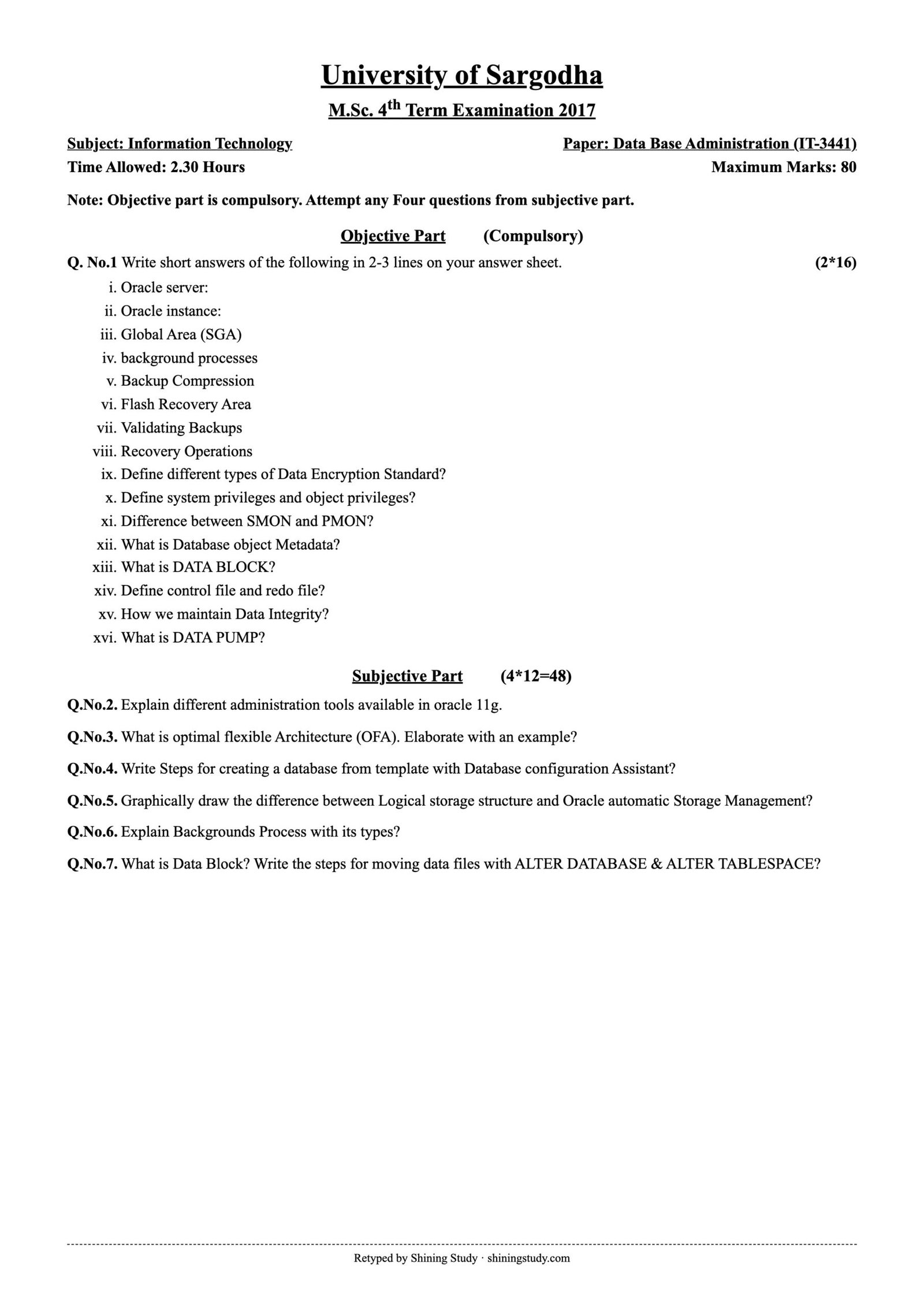
University of Sargodha (UOS) M.Sc. IT 4th term Database Administration (IT-3441) past paper 2017, with the full question paper and solved answers on Oracle architecture, DBCA, OFA, ASM and background processes.
Print / download (A4, high quality): Full-size paper
Database Administration Past Paper 2017 (text version)
University of Sargodha – M.Sc. 4th Term Examination 2017, Information Technology
Paper: Data Base Administration (IT-3441) · Time: 2.30 Hours · Maximum marks: 80
Note: Objective part is compulsory. Attempt any four questions from subjective part.
Objective part (compulsory) (2*16)
- Oracle server
- Oracle instance
- Global Area (SGA)
- Background processes
- Backup Compression
- Flash Recovery Area
- Validating Backups
- Recovery Operations
- Define different types of Data Encryption Standard?
- Define system privileges and object privileges?
- Difference between SMON and PMON?
- What is Database object Metadata?
- What is DATA BLOCK?
- Define control file and redo file?
- How we maintain Data Integrity?
- What is DATA PUMP?
Subjective part (4*12=48)
- Q.2 Explain different administration tools available in oracle 11g.
- Q.3 What is optimal flexible Architecture (OFA)? Elaborate with an example?
- Q.4 Write steps for creating a database from template with Database configuration Assistant?
- Q.5 Graphically draw the difference between Logical storage structure and Oracle automatic Storage Management?
- Q.6 Explain Background Process with its types?
- Q.7 What is Data Block? Write the steps for moving data files with ALTER DATABASE & ALTER TABLESPACE?
Solved answers – Database Administration 2017
Short questions
- Oracle server: the database management system made up of an Oracle instance (memory + background processes) and the Oracle database (physical files).
- Oracle instance: the set of memory structures (SGA) and background processes that access an Oracle database. An instance can mount and open one database at a time (several instances can share one database in RAC).
- SGA (System Global Area): the shared memory area of an Oracle instance, allocated at startup and shared by all server and background processes. It contains the database buffer cache, shared pool, redo log buffer, large pool, Java pool and Streams pool.
- Background processes are Oracle processes started with the instance that do work for all users – writing data and redo, checkpoints, recovery and cleanup (DBWn, LGWR, CKPT, SMON, PMON, ARCn).
- Backup compression: RMAN can compress backup sets (
BACKUP AS COMPRESSED BACKUPSET DATABASE;) with BASIC, LOW, MEDIUM or HIGH levels, saving disk space and network bandwidth at the cost of CPU. - Flash Recovery Area (Fast Recovery Area): a disk location managed by Oracle (
DB_RECOVERY_FILE_DESTand_SIZE) that stores backups, archived logs, flashback logs and control-file autobackups, deleting obsolete files automatically. - Validating backups: checking that backups can be restored without actually restoring them, e.g.
RESTORE DATABASE VALIDATE;orVALIDATE BACKUPSET 12;RMAN reads the files and checks for corruption. - Recovery operations: restore (copy files back from backup), recover (apply archived and online redo to roll forward), then roll back uncommitted work with undo; types include instance/crash, media (complete and point-in-time) and Flashback recovery.
- Encryption standards: DES (56-bit key, now weak), 3DES/Triple DES (three DES passes, 112/168-bit), and AES (128/192/256-bit, current standard). Oracle TDE and network encryption support 3DES and AES.
- System privileges permit database-wide actions (CREATE SESSION, CREATE TABLE, ALTER SYSTEM). Object privileges permit actions on a specific object (SELECT, INSERT, UPDATE, EXECUTE on hr.emp).
- SMON performs instance recovery at startup and cleans temporary segments; PMON cleans up after failed user processes (rolls back, frees locks) and registers services with the listener.
- Database object metadata: “data about data” – the definitions of objects (tables, columns, data types, constraints, indexes, owners, privileges) stored in the data dictionary and viewed through USER_/ALL_/DBA_ views or
DBMS_METADATA.GET_DDL. - Data block: the smallest unit of logical storage and I/O in Oracle, set by
DB_BLOCK_SIZE(usually 8 KB). It has a header, table and row directories, free space and row data; extents are made of contiguous blocks. - Control file: small binary file recording the database name, datafile and redo-log locations, SCN/checkpoint and RMAN backup information. Redo log file: records all changes made to the database so they can be replayed during recovery.
- Data integrity is maintained with integrity constraints (PRIMARY KEY, FOREIGN KEY, UNIQUE, NOT NULL, CHECK), triggers for complex rules, transactions (COMMIT/ROLLBACK) with locking for consistency, and data types and validation in the application.
- Data Pump: high-speed utilities
expdpandimpdp(10g+) for logical export and import of full databases, schemas, tablespaces or tables. They run on the server, support parallelism, filtering (INCLUDE/EXCLUDE), compression and restart of jobs.
Subjective questions
Q.2 Administration tools in Oracle 11g: Oracle Universal Installer (OUI) – installs software; Database Configuration Assistant (DBCA) – creates, configures and deletes databases; Database Upgrade Assistant (DBUA); Oracle Net Manager / Net Configuration Assistant (NETCA) – configure listeners and network names; Oracle Enterprise Manager Database Control – web console for administration and monitoring; SQL*Plus and SQL Developer – command-line and graphical SQL tools; RMAN – backup and recovery; Data Pump (expdp/impdp) and SQL*Loader – moving and loading data; ADRCI – diagnostic repository and alert log viewer; lsnrctl – listener control.
Q.3 Optimal Flexible Architecture (OFA): Oracle’s recommended standard for naming and placing directories and files so installations are easy to manage, multiple Oracle homes and databases can coexist, and files are spread across disks for performance. Example layout:
/u01/app/oracle                          ORACLE_BASE
/u01/app/oracle/product/11.2.0/dbhome_1  ORACLE_HOME (software)
/u01/app/oracle/admin/orcl/adump         audit files for database "orcl"
/u02/oradata/orcl/system01.dbf           datafiles
/u02/oradata/orcl/redo01.log             online redo logs
/u03/fast_recovery_area/orcl             backups and archived logs
Mount points are named /u01, /u02…, software is separated from data, and each database has its own subdirectory named by its SID.
Q.4 Creating a database from a template with DBCA: (1) Run dbca as the oracle user; (2) choose “Create a Database”; (3) select a template – General Purpose/Transaction Processing, Data Warehouse or Custom; (4) enter the Global Database Name and SID; (5) choose management options (Enterprise Manager) and set SYS/SYSTEM passwords; (6) pick storage type (file system or ASM) and file locations (OFA or OMF); (7) set recovery options – Fast Recovery Area and ARCHIVELOG mode; (8) choose sample schemas; (9) set initialization parameters – memory, character set, processes; (10) review storage, then create the database (or save it as a template or scripts) and finish.
Q.5 Logical storage structure vs Oracle ASM
  LOGICAL STORAGE                         ORACLE ASM
  ---------------                         ----------
  Database                                ASM Instance (+ASM)
     |                                        |
  Tablespace  ---- stored in ---->  Datafile ---> ASM File (+DATA/orcl/users.dbf)
     |                                        |
  Segment (table, index)                  ASM Disk Group (+DATA, +FRA)
     |                                        |  (mirroring: normal / high)
  Extent                                  ASM Disks (raw disks / LUNs)
     |                                        |
  Oracle Data Block                       Allocation Units (1 MB+), striped
                                          evenly across all disks
Logical storage is how Oracle organizes data inside the database (tablespace → segment → extent → block). ASM is a volume manager and file system for Oracle files: it groups disks into disk groups, stripes data across all disks and mirrors it, and Oracle datafiles are stored as ASM files instead of OS files.
Q.6
Mandatory background processes:
- DBWn (Database Writer): writes dirty buffers from the buffer cache to datafiles (at checkpoints, when free buffers are needed).
- LGWR (Log Writer): writes the redo log buffer to the online redo log files – at commit, every 3 seconds and when the buffer is one-third full.
- CKPT (Checkpoint): signals DBWn at checkpoints and updates datafile headers and the control file with checkpoint information.
- SMON (System Monitor): performs instance recovery at startup, cleans up temporary segments and coalesces free space.
- PMON (Process Monitor): cleans up after failed user processes – rolls back their transactions, releases locks and resources, and registers services with the listener.
Optional/other: ARCn (archiver – copies filled redo logs in ARCHIVELOG mode), RECO (resolves failed distributed transactions), MMON/MMNL (AWR statistics), Dnnn/Snnn (shared server dispatchers and servers), CJQ0 (job queue).
Q.7 Data block: the smallest unit of logical storage and I/O in Oracle, set by DB_BLOCK_SIZE (usually 8 KB). It has a header, table and row directories, free space and row data; extents are made of contiguous blocks.
Moving datafiles
With ALTER TABLESPACE (non-SYSTEM tablespace, database open):
ALTER TABLESPACE users OFFLINE NORMAL;
-- copy the file at OS level:  cp /u01/users01.dbf /u02/users01.dbf
ALTER TABLESPACE users RENAME DATAFILE '/u01/users01.dbf' TO '/u02/users01.dbf';
ALTER TABLESPACE users ONLINE;
With ALTER DATABASE (any file, including SYSTEM, database mounted):
SHUTDOWN IMMEDIATE;
-- copy the file at OS level:  cp /u01/system01.dbf /u02/system01.dbf
STARTUP MOUNT;
ALTER DATABASE RENAME FILE '/u01/system01.dbf' TO '/u02/system01.dbf';
ALTER DATABASE OPEN;
(From 12c, ALTER DATABASE MOVE DATAFILE … TO …; moves a file online in one step.)
Answers prepared by Shining Study for revision. Check them against your class notes and teacher’s guidance.